

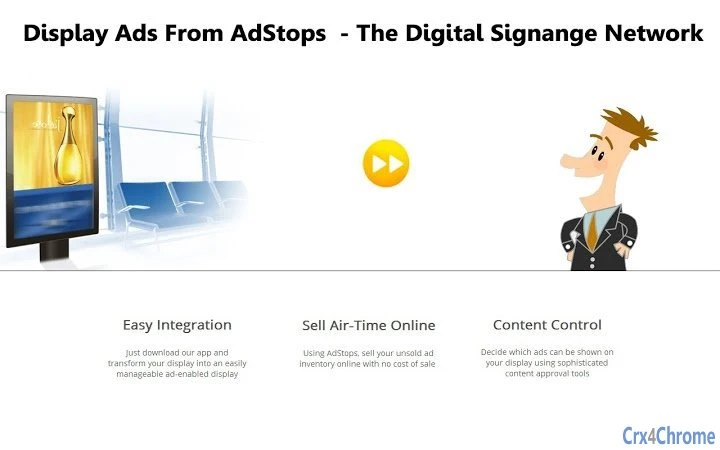
Description
AdStops: Monetize Your Digital Signage with Ease
Overview
AdStops is a free ad sharing platform designed for digital signage operators seeking to monetize their displays through a collaborative network. By installing the software on a Chrome browser or Chromebox, users can join a decentralized ad exchange where their screens become part of a shared advertising ecosystem. In return for displaying ads from other network participants, users gain access to advertising space on others’ digital signage displays, creating a reciprocal arrangement that benefits all involved.
The platform enables businesses and individuals to earn revenue from third-party advertisers while maintaining control over ad content and scheduling. Advertisers manage campaigns via the web portal at www.adstops.com, where they can upload, schedule, and target ads based on location and time. This targeted delivery ensures relevance and increases engagement potential for both advertisers and display owners.
Target users include small to medium-sized businesses, retail locations, cafes, gyms, and any entity with a digital signage setup connected to a Chrome-based device. The solution is particularly useful for organizations looking to generate passive income from underutilized screen space without requiring complex technical setup. While the developer is not specified in the provided details, the platform operates as a browser-based tool integrated with ChromeOS and desktop environments.
Key Features & Capabilities
- Ad Sharing Network – Users contribute their digital signage displays to a shared ad network, allowing others to display ads in exchange for reciprocal ad space.
- Monetization via Third-Party Ads – Display owners can earn income from advertisers using the AdStops platform, turning idle screen time into revenue.
- Location and Time-Based Targeting – Advertisers can tailor campaigns to specific geographic regions and time intervals, improving ad relevance and effectiveness.
- Web-Based Campaign Management – Advertisers use www.adstops.com to upload, schedule, and monitor ad campaigns without needing additional software.
- Automatic Display Registration – After installation, users are prompted to register their display in the AdStops network, streamlining onboarding.
- Multi-Platform Support – The software runs on Windows, Mac, and ChromeOS devices, offering broad accessibility for diverse users.
These features enable practical use cases such as a coffee shop displaying local business ads while earning revenue, or a gym sharing screen time with nearby retail stores. The platform simplifies the process of ad exchange, eliminating the need for direct negotiations or contracts between parties. Instead, the system handles matching, scheduling, and delivery automatically based on user-defined preferences and network availability.
User Interface, Workflow & Performance
AdStops operates as a browser-based application, leveraging the Chrome environment for execution. The user interface is minimal, with no visible desktop client beyond the browser window. After installation, users are guided through a registration process that links their display to the AdStops network, ensuring proper attribution and ad delivery.
Navigating the platform relies on the web portal at www.adstops.com, where advertisers manage campaigns. For display owners, the workflow is largely passive—once registered, the software automatically receives and displays ads from the network. No ongoing manual input is required, which enhances usability for non-technical users.
Performance details were not specified by the developer. However, as a lightweight application (10 MB), it is expected to consume minimal system resources. The software runs on ChromeOS, Windows, and Mac, suggesting compatibility with standard hardware configurations. The developer did not provide information on CPU or RAM usage, nor did they share stability metrics or update frequency. General software behavior patterns suggest consistent operation under normal conditions, but specific performance observations are not available.
Compatibility & System Requirements
AdStops is compatible with Windows, Mac, and ChromeOS operating systems, making it accessible across a wide range of devices. The software is designed to run on Chrome browsers and Chromebox hardware, indicating integration with the Chrome ecosystem. Installation size is 10 MB, which suggests a lightweight footprint suitable for most modern systems.
Exact system requirements were not listed. The developer did not specify minimum CPU, RAM, or storage thresholds. Hardware compatibility information is limited to the supported platforms. Users should ensure their device supports Chrome browser updates and has internet connectivity to participate in the network. The software version is 1.0, released on May 15, 2023.
Pros and Cons
Pros
- Free to use with no upfront costs
- Enables passive income from digital signage displays
- Supports location and time-based ad targeting
- Simple onboarding with automatic display registration
- Runs on multiple platforms: Windows, Mac, and ChromeOS
- Web-based management eliminates need for local software
Cons
- Exact system requirements not provided
- No information on resource usage (CPU/RAM)
- Performance and stability data not disclosed
- Monetization depends on network size and ad availability
- Requires internet connection for ad delivery and registration
FAQ Section
Is AdStops available for free?
Yes, AdStops is offered at no cost to users. There are no subscription fees or hidden charges for joining the ad sharing network or displaying ads.
Can I use AdStops on both Windows and Mac?
Yes, the software supports both Windows and Mac operating systems, in addition to ChromeOS. This multi-platform availability ensures broad accessibility for digital signage users.
How do I start earning money with AdStops?
To begin earning, install AdStops on your Chrome browser or Chromebox, register your display in the network, and allow the system to serve ads from third-party advertisers. Revenue is generated based on ad impressions and network participation.
Do I need to manage ads manually?
No. Once your display is registered, the platform automatically handles ad delivery, scheduling, and rotation. Advertisers manage their campaigns through the web portal at www.adstops.com.
Is the software secure to install?
AdStops is designed to operate within the Chrome browser environment, which provides sandboxing and security features. While the developer did not provide specific security details, the platform runs as a browser extension and does not require administrative access beyond standard installation permissions.
Final Thoughts + CTA
AdStops presents a compelling solution for digital signage operators aiming to generate revenue from underused screen space. Its core value lies in creating a self-sustaining ad exchange where users both contribute and benefit from shared advertising opportunities. The platform’s simplicity, free access, and multi-platform support make it accessible to a wide range of users, from small businesses to larger organizations.
While detailed technical and performance data are limited, the lightweight nature of the software and its integration with established platforms like ChromeOS suggest reliable operation. The ability to target ads by location and time enhances campaign effectiveness, making the platform valuable for local advertisers and display owners alike.
For anyone with a digital signage setup connected to a Chrome-based device, AdStops offers a practical path to monetization without complex setup or ongoing management. The reciprocal model fosters a collaborative ecosystem that scales with network growth.
Download AdStops now
Guides & Tutorials for AdStops App for Chrome
How to install AdStops App for Chrome
- Click the Preview / Download button above.
- Once redirected, accept the terms and click Install.
- Wait for the AdStops App for Chrome download to finish on your device.
How to use AdStops App for Chrome
This software is primarily used for its core features described above. Open the app after installation to explore its capabilities.
User Reviews for AdStops App for Chrome 0
No reviews found





